MULTI-TASKER™ MANUAL PART NUMBER: 400-0361-002 MT100-102 20-SLOT MULTI-TASKER™ ENCLOSURE USER’S GUIDE
MULTI-TASKER TABLE OF CONTENTS Page PRECAUTIONS / SAFETY WARNINGS ..............2 GENERAL..........................................................2 INSTALLATION..................................................2 RACK-MOUNT INSTALLATION.........................2 CLEANING.........................................................2 FCC NOTICE .....................................................2 ABOUT YOUR MT100-102 ..................................3 TECHNICAL SPECIFICATIONS...........................
MULTI-TASKER PRECAUTIONS / SAFETY WARNINGS 1.4 CLEANING 1 • Please read this manual carefully before using your MT100-102 20-Slot Multi-Tasker™ Enclosure. Keep this manual handy for future reference. These safety instructions are to ensure the long life of your MT100-102 20-Slot Multi-Tasker™ Enclosure and to prevent fire and shock hazard. Please read them carefully and heed all warnings. • Clean surfaces with a dry cloth. Never use strong detergents or solvents such as, alcohol or thinner.
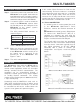
MULTI-TASKER ABOUT YOUR MT100-102 2 TECHNICAL SPECIFICATIONS MT100-102 Multi-Tasker™ 20-Slot Enclosure • • • • FEATURES/ DESCRIPTION GENERAL 3 MT100-102 5-pin Terminal Block (GND, RXD & TXD) USB Standard Cards designed for the Compatibility Multi-Tasker™ System Table 1.
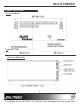
MULTI-TASKER PRODUCT DESCRIPTION 4 MT100-102 FRONT PANEL MT100-102 REAR VIEW 4
MULTI-TASKER INSTALLING YOUR MT100-102 In this section, "Basic Enclosure" or "Unit" has the same meaning. The basic enclosure is a complete and independent card cage that has a controller and 8 slots for plug-in cards. Each unit or basic enclosure has its own Unit ID that is based on a number from 0 to 9. Each plug-in card also has its own Card ID that is a number from 1 to 20. 5 Step 1. Connect the power entry connector of the MT100-102 to the power outlet with the provided power cord.
MULTI-TASKER 6.2 RS-232 PROTOCOL 7.2 CARD IS NOT WORKING Cause 1: Card cage slot has a problem. The RS-232 protocol for the MT100-102 uses a simple ASCII character format. See the MT101-110 and MT101-111 Front Panel User Guides for Multi-Tasker™ commands and formats. Solution 1: Test a card in other slots of the card cage. If the slot was damaged, the card may work in other slots. If other slots work, the problem is the card cage slot. The card cage may require service. Call ALTINEX at (714) 990-2300.