
User manual






User Manual of Hikvision iVMS-4200 v2.0
42
Alarm Triggered
Video Wall Display
Display the video of the triggered camera on the Video Wall when alarm is
triggered.
4.3 Configuring PIR Alarm
Purpose:
A PIR (Passive Infrared) alarm is triggered when an intruder moves within the detector's field of view.
The heat energy dissipated by a person, or any other warm blooded creature such as dogs, cats, etc.,
can be detected.
Note: The PIR Alarm function requires the support of connected device.
Steps:
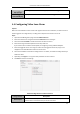
1. Open the Event Management page and click the Camera Event tab.
2. Select the camera to be configured and select PIR Alarm as the event type.
3. Check the checkbox Enable to enable the function of PIR alarm.
4. Input a descriptive name of the alarm.
5. Check the checkboxes to activate the linkage actions. For details, see Table 4.3 Linkage Actions for
PIR Alarm.
6. Optionally, click Copy to… to copy the event parameters to other channels.
7. Click Save to save the settings.
Table 4.3 Linkage Actions for PIR Alarm
Linkage Actions
Descriptions
Alarm Output
Enable the alarm output function. Select the alarm output port and the
external device connected to the port can be controlled.
Channel Record
Start the recording of the selected cameras when alarm is triggered.
Audible Warning
The client software gives an audible warning when alarm is triggered.
Email Linkage
Send an Email notification of the alarm information to one or more receivers.
Alarm on E-map
Display the alarm information on the E-map.