
User manual






User Manual of Hikvision iVMS-4200 v2.0
38
Chapter 4 Event Management
Purpose:
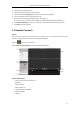
In iVMS-4200 client software, rules can be set up for triggers and linkage actions. You can assign
linkage actions to the trigger by setting up a rule. For example, when motion is detected, an audible
warning appears or other linkage actions happen.
Click the icon on the control panel,
or click Tool->Event Management to open the Event Management page.
You can set different linkage actions for the following triggers:
Motion Detection
Tampering Alarm
PIR Alarm
Video Loss
Alarm Input
Device Exception
4.1 Configuring Motion Detection Alarm
Purpose:
A motion detection alarm is triggered when the client software detects motion within its defined area.
The linkage actions, including alarm output, channel record and client action can be set.
Steps:
1. Open the Event Management page and click Camera Event tab.
2. Select the camera to be configured and select Motion Detection as the event type.
3. Check the checkbox Enable to enable the function of motion detection.
4. Select the arming schedule template from the drop-down list.
All-day Template: for all-day continuous arming.
Weekday Template: for working-hours continuous arming from 8:00 AM to 8:00 PM.