
User manual






User Manual of Hikvision iVMS-4200 v2.0
35
You can click or to go to the previous or the next time period.
You can use the mouse wheel to zoom in or zoom out on the timeline.
Normal Playback Toolbar:
On the Normal Playback page, the following toolbar buttons are available:
Async/Sync Playback
Click to play back the record files synchronously/asynchronously.
Stop Playback
Stop the playback of all cameras.
Pause/Start Playback
Pause/Start the playback of the record files.
Single Frame
Play back the record files frame by frame.
Volume
Click to turn on/off the audio and adjust the audio volume.
Full Screen
Display the video playback in full screen mode. Press ESC to exit.
Note: You can move the slider on the Playback Speed Bar to set the playback speed.
3.2.2 Event Playback
Purpose:
The recordings triggered by motion detection or alarm input can be searched for Event Playback and
this function requires the support of the connected device.
Searching Record Files for Event Playback
Steps:
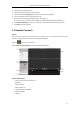
1. Open the Remote Playback page.
2. Click to expand the Event List on the left-side.
3. Click Motion Detection or Alarm Input, and select the cameras or alarm input sensors.
4. Select the day to be searched on the calendar.
You can also click to show more search options, and then click the icon to specify the
start time and end time for the search.
5. Click Search. The recordings from the selected cameras and sensors triggered by motion