
User manual






User Manual of Hikvision iVMS-4200 v2.0
32
You can add the storage server in the following ways:
By detecting the online devices, see Section 2.2.1 Adding Online Devices.
By specifying the device IP address, see Section 2.2.2 Adding Devices Manually.
By specifying an IP segment, see Section 2.2.3 Adding Devices by IP Segment.
By IP Server, see Section 2.2.4 Adding Devices by IP Server.
Formatting the HDDs
The HDDs of the storage server need to be formatted for the record file storage.
Steps:
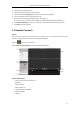
1. Select the added storage server from the list and click Remote Config.
2. Click Storage->General, to enter the HDD Formatting interface.
3. Select the HDD from the list and click Format. You can check the formatting process from the
process bar and the status of the formatted HDD changes from Raw to Normal Status.
Note: Formatting the HDDs is to pre-allocate the disk space for storage and the original data of the
formatted HDDs will not be deleted.
Configuring Storage Server Record Schedule
Before you start:
The storage server needs to be added to the client software and the HDDs need to be formatted for
the record file storage.
Steps: