
User manual






User Manual of Hikvision iVMS-4200 v2.0
31
3.1.2 Recording on Storage Server
Purpose:
The storage server performs as a NVR installed on the PC. The record files can be stored in the storage
server and you can search the files for remote playback.
Before you start:
、
The storage server application software needs to be installed and it is packed in the iVMS-4200
software package. When installing the iVMS-4200, check the checkbox Storage Server to enable the
installation of storage server.
Adding the Storage Server
Steps:
1. Click the shortcut icon on the desktop to run the storage server.
Note: You can also record the video files on the storage server installed on other PC.
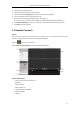
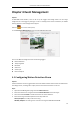
2. Open the Device Management page and click the Server tab.
3. Click Add New Device Type, select Storage Server and click OK.
4. Click Storage Server on the list to enter the Storage Server Adding interface.