
Owner`s manual

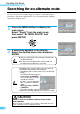
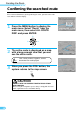
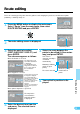

47
Deciding the Route
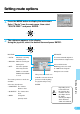
Setting route options
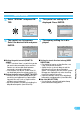
Press the MENU button to display the main menu.
Select "Route" from the main menu, then select
"ROUTE PREF." and press ENTER.
1
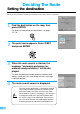
The sub-menu appears in the display.
Using the joystick, select the desired item and press ENTER.
2
ENTER
ENTER
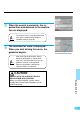
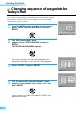
RE-ROUTE
To reroute automatically when
deviated from the original route.
Select "HIGH" for the
Motorway preference mode
or "LOW" for the Regular
Road preference mode.
Depending on the
head control unit,
this function does
not work. Consult
your Alpine dealer
for details.
Consult your Alpine
dealer about the
audio unit combined.
Tips
MULTI CD
• AUTO: Automatic searching
for border point.
• MANUAL: Manual searching for
border point.
• OFF: Select this position
when only one CD
ROM is used or CD
ROM for Great Britain
is used.
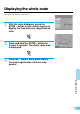
Three route preference modes are
available.
Select the desired route.
• SHORTEST: The shortest
distance route.
• QUICKEST: The shortest time
route.
• MAIN: Using main
(arterial) roads.
Nine preference modes are
available. Select the desired
preference mode by tilting
the joystick and pressing
ENTER.