
Owner`s manual





40
Point Editing
Telephone Number Editing
Select "TEL. No." and press
ENTER.
4
Memory Point Move
Select "POSITION" and press
ENTER.
4
The number pallet is displayed.
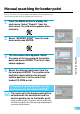
Select the desired numeral and
press ENTER. Repeat this
procedure to complete the
editing.
When 11 digits are input, the memory editing list
appears automatically. For 9-digit numbers, you
must select END and press ENTER when you
have completed input.
5
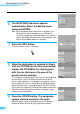
The position to be corrected is
indicated by the reticule icon.
Use the joystick to move the
map.
5
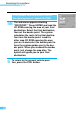
Press ENTER.
After the confirmation message is displayed, the
memory editing list is displayed.
ENTER
6
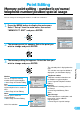
The memory editing list is dis-
played with the telephone
number.
6
ENTER
ENTER
ENTER
ENTER