
Operating instructions

FR
ES
DE
SE
IT
7-EN
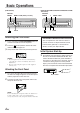
Changing Audio Level Display
Pattern (CDM-9823RR/CDM-9823R/
CDE-9822RB/CDE-9821RM/CDE-
9821R only)
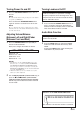
1 Press and hold the F/SETUP button for at least
3 seconds.
2 Press the g or f button to select DISP.
3 Press the BAND button to switch the display
pattern.
DISP1:
Lights the Volume indicator.
DISP2:
Lights the mode and value bars to show the
settings in the Bass engine display.
DISP OFF:
Tur ns off the light in Audio Level display.
If you set DISP OFF, the Volume indicator and
Bass engine displays are not lit at all times.
4 When the setting is completed, press the
F/SETUP button to return to the normal mode.
→ DISP1 → DISP2 → DISP OFF
→ DISP1 → DISP2 → DISP OFF
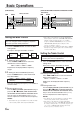
Setting the Bass Type
This function allows for 3 different Bass type
settings. Select the one that appeals to you the
most.
1 Press and hold the CENTER f button for at least
2 seconds to set the Bass type.
2 Select the desired TYPE (1 through 3) by
pressing the g or f button within 15
seconds.
Type 1 will sound best if you have a subwoofer in
your system. Use Type 2 or 3 if you are using
small diameter speakers.
3 Press the CENTER f button for at least 2
seconds to return to the normal mode.
NOTE
“Bass Center Frequency” and “Bass Band Width”
previously set are replaced when selecting TYPE 1
through 3. When Bass Type is OFF, your previous
settings are restored.
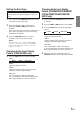
Changing Audio Level Display
Pattern (CDM-9825RB only)
1 Press the DISP button to switch the display
pattern.
DISP1:
Lights the Volume indicator.
DISP2:
Lights the mode and value bars to show the
settings in the Bass engine display.
DISP OFF:
Tur ns off the light in Audio Level display.
If you set DISP OFF, the Volume indicator and
Bass engine displays are not lit at all times.