
User`s guide






2. Cabinet Installation
17
164201085 Rev. F0
INSTALLATION PROCEDURE
Although ground mounting the power supply can be accomplished by several methods, the
following procedure is recommended. Figure 2-5, Figure 2-6, and Figure 2-7 illustrate the
ground mount installation.
1. Select an appropriate site. Clear and level an area of approximately 36" X 36".
2. In accordance with local codes, install the disconnect box near the AC power source.
NOTE The disconnect box should have a high-magnetic circuit breaker, capable of
passing short duration inrush currents, and have a 20A minimum rating.
3. From the disconnect, install conduit to the power supply site and turn a stub up to
extend above ground level. Drive a suitable ground rod according to local codes (see
Figure 2-5). Install appropriate size conduit for the output connections and turn a stub
up to extend flush with the pad surface cast into the concrete. Ensure the conduit
locations correspond with the appropriate cabinet connections.
4. Using 1 X 4 lumber, construct a form for the cement pad (see Figure 2-5 for
dimensions). Anchor the form securely to the ground.
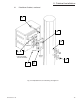
5. Attach the ground mounting brackets from the supplied kit to the ground skirt using the
5/16-18 X .75 screws and the 5/16-18 nuts.
6. Make a template from sheet metal or wood indicating the position of the ground
mounting bracket mounting holes. Drill out the four holes in the template and insert four
5/8" X 4" bolts (not supplied). The head of the bolts will be embedded into the concrete
pad when installation is complete. Leave sufficient thread above the pad for securing
the ground skirt.
7. Center and secure template (with bolts in position) over the form. Be sure the conduit
stub-ups for the AC input and the ground rod are positioned at desired locations.
8. Pour, level, and finish concrete to the bottom of the template. Allow to cure for 24 hours.
9. Attach the ground skirt to the power supply cabinet. Align skirt inside the bottom lip of
the cabinet and secure using 10-32 X 3/8" screws from the parts kit.
10. Attach the power supply cabinet to the concrete pad using 5/8" nuts (not provided)
through the ground mounting brackets (see Figure 2-6). Tighten all hardware securely.
11. Continue to Section 2.3,
Electrical Connection
on page 23.
2.2 Ground-Mount Cabinet