
DVD/CD Flash Copy Tower Manual







www.aleratec.com
22
Using the DVD/CD Flash Copy Tower
Function Overview: 4. Utility
System Update
The DVD/CD Flash Copy Tower can use a USB ash drive drive to update the
system rmware.
1. Download / Copy the updated System Firmware to a USB ash drive.
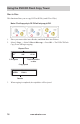
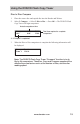
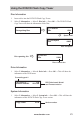
2. Select 4.Utility → 1.SystemUpdate → Press OK → The system will start
updating the rmware. When nished, the LCD screen will prompt you to turn off
and turn on the system again.
Note: Save the System Firmware update to a USB flash drive. Do not
put the System Firmware update in a folder; the system will not be
able to find the file in a folder.
Demo I/O
This function simulates operation by mechanically ejecting and retracting drive
doors.
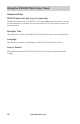
1. Select 4.Utility → 2.DemoI/O → Press OK
USB
Search File....
Search for updated System Firm-
ware on USB
[Update Processing]
Writing....
System Firmware update progress
TURN OFF, 5 Sec,
TURN ON AGAIN
System Firmware update complete