
DVD/CD Flash Copy Tower Manual







www.aleratec.com
18
Using the DVD/CD Flash Copy Tower
USB to Disc Compare
1. Insert a USB ash drive and place a nish burner DVD or CD disc into the
DVD/CD Flash Copy Tower.
2. Select 2.Compare, → Select 2.USBtoDisc → Press OK → The DVD/CD Flash
Copy Tower will begin comparison.
(or)
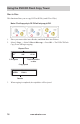
3. When the USB to Disc comparison is complete the following information will
be displayed:
Compare 51
Complete !
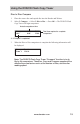
Compare
Waiting disc...
Begins the Compare process
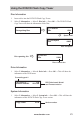
Compare 51
Disc 1/4 46
Total files on disc to compare
Compare progressDisc Spanning Disc
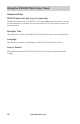
Compare 71
Session 2 12
Total files on disc to compare
Multi-Session