
User`s manual




Alcorn McBride Digital Video Machine DVM-7400 User’s Manual Rev 1.5
43
Playlist Control
Playlists provide a mechanism for the Digital Video Machine to automatically execute
commands in a predefined sequence. Playlists often allow the DVM to be used to
perform complex functions that would normally require an external controller. Since
Playlists can execute any of the commands listed in the Command Protocol section,
they can perform a variety of functions. These functions could be something as
simple as looping a single track, or as complex as user prompted pacing of the
playback.
Overview
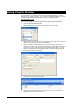
A playlist zero
(PLY00000.LST) will
play on power-up.
A Playlist file is nothing more than a list of DVM commands. These commands,
which are listed in the Command Protocol section, are the same commands that are
used by all of the DVM’s control interfaces. Although any of the supported commands
can be used, Playlists usually contain Play commands, which cause the DVM to play
video clips on the media. When a Playlist is being used, the commands are processed
in the order in which they appear in the list. The Playlist is an ASCII text file and can
be made using any ASCII text editor (like notepad) or using the Playlist Builder
program available from http://www.alcorn.com/support/software.html.
A Playlist can be started by serial or parallel commands, in exactly the same way as
an individual MPEG file. For example, the serial command
2PL<CR>
causes Playlist PLY00002.LST on the currently selected drive to start. Discrete File
Select Input 2 will also start PLY00002.LST.
If Playlist 0 (PLY00000.LST) exists, it will be automatically executed on power up.
If a Playlist contains a command to play the number or name of another Playlist,
execution of the current Playlist will be terminated at that point, and the new Playlist
will begin.