
User`s manual

Alcorn McBride Digital Video Machine DVM-7400 User’s Manual Rev 1.5
28
Configuration Commands
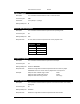
Set Colorspace
Description: This command configures the colorspace format for the component video output of
the DVM. You can configure this output to use either the RGB or YUV colorspace
formats.
Command Bytes: nVC
Parameters: n is a numeric value that represents the colorspace. 0=RGB, 1=YUV
Message Response: R
Comments: This command only applies to DVM’s with either the Professional Video(/P) or
Component Video(/R) options installed. If you have the Professional Video(/P)
option installed, this command will override the colorspace DIP-switch setting. This
override will remain in effect until either the DIP-switch value is changed, or another
Set Colorspace command is received.
Examples: Set Colorspace to RGB: 0VC
Set Colorspace to YUV: 1VC
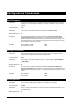
Set Sync-On-Green
Description: This command configures the type of sync that is used on the component video
output when it is operating in the RGB colorspace mode.
Command Bytes: nSG
Parameters: n is a numeric value that represents the sync on green setting. 0=OFF (RGB-HV),
1=ON (RGsB)
Message Response: R
Comments: This command only applies to DVM’s with either the Professional Video(/P) or
Component Video(/R) options installed. This command also only applies when the
RGB colorspace format is being used. YUV always embeds the sync signal on the ‘Y’
output.
Examples: Set to RGB-HV: 0SG
Set to RGsB: 1SG
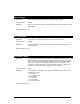
Set Brightness
Description: This command configures the Brightness of the DVM’s video outputs.
Command Bytes: nnnBN
Parameters: nnn is a numeric value between 0-100 that represents the Brightness setting. 50 is
the default setting.
Message Response: R