
User`s manual

Alcorn McBride Digital Video Machine DVM-7400 User’s Manual Rev 1.5
27
Set volume level to 50%: 50%AD
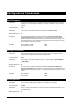
Video Control
Description: This command causes the DVM to mute or unmute the video.
Command bytes: nVD
Parameters: n is 0 (Black) or 1 (Image).
Message Response: R
Active Mode Request
Description: This command causes the DVM to report its Active Operating Mode.
Command bytes: ?P
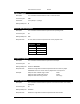
Message Response: Pnn
Response Data: nn is an ASCII number that represents the current playback mode
Response State
P01 Stopped
P04 Playing
P05 Stilled
P06 Paused
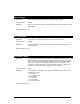
Chapter Request
Description: This command causes the DVM to report its Active Chapter.
Command bytes: ?C
Message Response: nnnnn or <Filename>
Response Data: nnnnn is a 5-digit ASCII number that represents the active video or playlist
<Filename> is the non-numeric video or playlist that is currently active
Examples: Response when vid00001.mpg is active: 00001
Response when ply00400.lst is active: 00400
Response when alcorn.mpg is active: alcorn.mpg
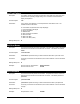
Frame Request
Description: This command causes the DVM to report the current frame number of the actively
playing clip.
Command bytes: ?F
Message Response: nnnnnnn
Response Data: nnnnn is a 7-digit ASCII number that represents the frame number