
User`s manual





Alcorn McBride Digital Video Machine DVM-7400 User’s Manual Rev 1.5
15
Serial Port: DB-9 Connector
Volume Control
To increase the
volume level, rotate
the knob clockwise.
Please refer to the
Command Protocol
section of this manual
for details on
changing volume
levels remotely.
The volume control is the gray colored knob protruding from the rear of the unit next
to the RCA jacks. It controls volume for the audio RCA line level outputs, as well as
for the optional speaker or balanced outputs. It does not control the volume on the
optional S/PDIF digital audio output.
You can also control the volume via serial control, Ethernet control, or playlists using
the Audio Control command. When changing the volume remotely, keep in mind that
the setting of the volume control knob is very important. For example, if the knob
were set to a level of 75%, 75% would be the maximum volume level that the remote
volume control would be able to achieve.
Parallel Port: DB-37 Connector
Be sure to configure
the Digital Video
Machine for contact
closures or voltage
inputs before
connecting any wires.
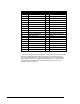
This connector provides all of the signals needed to interface to the Digital Video
Machine. Files numbered 1 through 15 of the DVM may be played, paused or stopped
using eight parallel inputs located on the rear connector. These inputs may be either
contact closures such as momentary buttons, or voltage inputs from a controller such
as a PLC. The DIP switch located on the side of the unit next to the connector selects
between the two input types. More information on these inputs may be found in the
section entitled Parallel Control.
Two dry-contact relay outputs provide Fault and Playing status (closed when active).
A current-limited (100mA max.) 5VDC output can be used to light external LED
indicators, and an extra power supply input exists so that the 37-pin connector can be
used to supply power instead of the barrel jack. Any of the ground connections may
be used for the return.
A serial cable is
provided with each
Digital Video Machine.
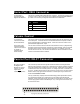
This input is a standard DB-9 male RS-232C connector. The purpose of this port is to
connect to a PC or other control device using a straight-through (not null-modem) 9-
pin cable. The connector pin assignments are listed in the table below.
Pin Function
2 TXD (data from DVM)
3 RXD (data to DVM)
5 GND