
User`s guide




Detailed Command Summary 21
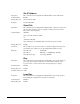
Play Next
Description: This command causes the specified file to be "queued" for playback at the
completion of the current activity. If a file is currently playing, the queued
transition to the selected file will be seamless. If a file is currently looping, the
seamless transition will occur at the next loop point.
Command bytes: nnnnnPN<CR> or “<filename>”PN<CR>
Parameters: nnnnn is the ASCII file number between 0-99999.
<filename> is an ASCII file name surrounded by quotation marks.
Message Response: R<CR>
Example: Play File 1: 1PL<CR>
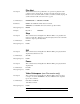
Stop
Description: This command causes the Digital Video Machine HD to cease playback and
return to an idle state. When stopped, the unit displays the last decoded frame
unless the output is specifically muted.
Command bytes: RJ<CR>
Message Response: R<CR>
Still
Description: This command causes the Digital Video Machine HD to pause playback and
display the last frame it decoded.
Command bytes: ST<CR>
Message Response: R<CR>
Pause
Description: This command causes the Digital Video Machine HD to pause playback and
display black.
Command bytes: PA<CR>
Message Response: R<CR>
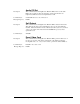
Video Colorspace (non-Pro version only)
Description: This command causes the Digital Video Machine HD to change its output
colorspace. Note: The DVMHD-Pro only has a YPbPr monitor output and
ignores this command.
Command bytes: 0VC<CR> for RGB-HV
1VC<CR> for YPbPr
Message Response: R<CR>
NOTE: RGB-HV is not supported on Rev. J Video decoder boards