
Operation Manual


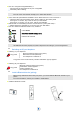


Your telephone
1
5
Other
Alcatel-Lucent 500 Ex DECT Handset is marked with the ATEX logo.
Access MENU
Off hook
Switch on / off
On-hook
Return to first screen - Return to previous menu
Switch off ringer
Activate/deactivate loudspeaker
Calls log ; (Redial)
Lock/unlock keypad (First press: Ok)
Apply
Access MENU : Message service , Personal directory ,
Settings menu items , Calls log
Erase a character
Apply
Navigate (Up, down, left, right)
Affected shortcuts to the navigation keys (out of
navigation use)
Activate/deactivate loudspeaker
Access your personal directory
Switch the screen on again
Silent mode (long press)
Microphone
Adjust audio volume
Red key : Alarm call (Option)
Headset socket
LED
The LED settings depend on the configuration of the set (See
Associate states of the handset to the LED colours)
Back-lit screen The screen switches off automatically after a few
seconds of inactivity. To turn it back on, press the key
R
CLR
#
Menu
Select a function in the MENU
It provides access to all the functions available on your system.
Select Navigate in the menus and select the menu of your choice
Consult and send voice and text messages.
From the call log, select one of the last numbers dialed
Access your personal directory
Manage your appointments, your meetings , Program a call-back time.
Access to the calculator, countdown or wake up features
Adjust contrast, activate or deactivate the beeps, lighting, etc.