
User manual


9
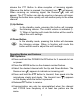
To enable the VOX operation:
• From standby mode, press the MODE button 3 times unitil the
VOX icon (vox) appears with on or oF.
• Press the Up or Down button to select the VOX on or oF as
desired.
• When enabled, the VOX icon ( ) appears.
• Press the PTT button momentarily to confirm selection.
Roger Beep Tone
The Roger Beep is a tone which is automatically transmitted
whenever the PTT button is released.
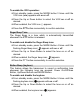
To enable and disable the Roger Beep tone:
• From standby mode, press the MODE Button 4 times unitil the
flashing Roger Beep icon (
) appears with on or oF.
• Press the Up or Down Button to select the tone on or off as
desired.
• When enabled, the Roger beep icon ( ) appears.
• Press the PTT button momentarily to confirm selection.
Button Beep (keytone)
This feature allows the transceiver to sound a confirmation tone
whenever the following keys are pressed: Power On/Off/Scan
Button, Up/Down Buttons and MODE Button.
To enable and disable the keytone:
• From standby mode, press the MODE Button 5 times unitil the
flashing keytone icon (
)appears with on or oF.
• Press the Up or Down Button to select the tone on or off as
desired.
• When enabled, the keytone icon ( ) appears.