
Operation Manual



15
AE33H CONTROLS AND DISPLAY
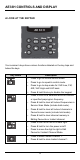
• Press to select Instant channel 2.
• Press & hold to store Instant channel 2.
• Press to select Instant channel 3.
• Press & hold to store Instant channel 3.
• Press to move the digit to left in Edit Favourite
/ Instant Channel Mode.
• Press to toggle change the service bank.
• Press & hold to toggle between Service Scan
Mode and Favourite Scan Mode. (Or between
Service Scan Hold Mode and Favourite Scan
Hold Mode.)
• Press to Start/Stop Scan Mode.
• Press & hold to go to Programming Channel
Mode in Service Scan Hold Mode or while
monitoring a frequency.
• Press & hold to store the frequency in
Programming Channel Mode.
• Press to change volume level in volume
control mode.
• Press to change squelch level in squelch
control mode.
• Press to change step in step mode.
• Press to change the direction of the scan.
• Press to resume scanning while monitoring a
frequency.
• Press to select channels in Service / Favourite
Scan Hold Mode or Programming Channel
Mode.
• Press for more than one second to rapidly
select channels upwards or downwards in
Service / Favourite Scan Hold Mode or
Programming Channel Mode.
• Press to edit frequencies in Edit Favourite /
Instant Channel Mode.
• Press for more than one second to rapidly edit
frequencies upwards or downwards in Edit
Favourite / Instant Channel Mode.