
User guide




51
6.2 Menu options of DV/Voice Playback
When in DV/Voice Playback Mode, press the Menu Button ( ) to
show the Movie clip options menu.
6.2.1 Delete
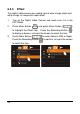
1. Turn on the Digital Video Camera and make sure it is in the
DV/Voice Playback Mode.
2. Select the file to be deleted and press the Menu Button (
)
to enter Menu. Press Zoom Button (
) to highlight the
Delete item, or touch the screen and select on the file to be
deleted.
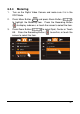
3. Press Zoom Button (
) or touch the screen to select
Delete One or Delete All, and press Recording Button (
) to
delete file(s).