
User guide




38
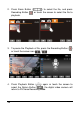
3. Press Zoom Button ( ) or touch the screen to select the
Zoom Button (
/ ) will zoom in or zoom out the
picture. Press the Mode Button (
) or touch the screen
o select the 4-way Button to move the image.
4. Press Zoom Button (
) or touch the Return Button ( ) to
return to full screen for viewing images.
5. Press the Playback Button (
) again or touch the screen to
select the Return Button (
) will restore to DSC Mode.