
User's Manual






11
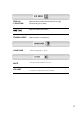
HOT KEY
When there is no OSD, if you press this
AUTO button, you can use the best display
performance fit for a current mode.
When there is no OSD, if you press this
BRIGHTNESS button, you can adjust the
brightness directly.
◀: decreases brightness
▶: increases brightness
The screen will be brightened progressively by
10%. If you carry out general PC works such
as document edition on the Movie mode,you
may shorten the life span of LCD panel.
Thus,it is recommended to verify the selected
mode before use.
◈
◈
◈