
User`s manual

IPPC-9120G/9150G Users Manual 82
Chapter 9 PCMCIA
9.1 Introduction
The IPPC-9120G/9150G is equipped with a high performance PCMCIA
interface which complies with the 1995 PCMCIA card standard by using
the RICOH Cardbus controller. The panel PC supports two PCMCIA
card/cardbus slots. Two sockets support both a 16-bit PCMCIA card and
a 32-bit Cardbus simultaneously, with hot insertion and removal.
9.2 Installation of PCMCIA Driver
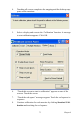
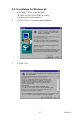
The PCMCIA driver for Windows 95 is included in the "Drivers and Util-
ities" CD-ROM included with your IPPC-9120G/9150G. The installation
procedure is shown in the next section in this chapter.
Other operating systems such as Windows 98 and Windows NT also sup-
port PCMCIA drivers. However, the drivers for these operating systems
are not included in the "Drivers and Utilities" CD-ROM. Installation for
these operating systems is not explained in this manual..
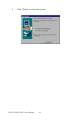
Important: 1. The following windows illustrations are exam-
ples only. You must follow the flow chart instruc-
tions and pay attention to the instructions which
then appear on your screen.
Notes: 1. The CD-ROM drive is designated as "D"
throughout this chapter.
2. <Enter> means pressing the "Enter" key on
the keyboard.