
User`s manual




IPPC-9120G/9150G Users Manual 38
Chapter 4 VIA Chipset
4.1 Introduction
The IPPC-9120G/9150G uses the chipset PN133T (codename: Twister)
from VIA Technologies, Inc., built-in high performance 2D/3D Savage4
graphics, flexible 66/100/133MHz system bus settings, support for
PC100/133 SDRAM and multiple power saving modes make the VIA
PN133 the ideal integrated SMA chipset for the Intel Pentium
®
III, Intel
®
Celeron. and VIA C3 processor.
The VIA VT82C686B PSIPC (PCI Super-I/O Integrated Peripheral Con-
troller) can support Intel and non-Intel based processor to PCI bus bridge
functionality to make a complete Microsoft PC99-compliant PCI/ISA
system, moreover, it also supports master mode enhanced IDE controller
with dual channel DMA engine (includes UltraDMA-33/66/100) and
interlaced dual channel commands.
4.2 Driver Installation
Before installing the Ethernet driver, note the procedures below. You
must know which operating system you are using in your IPPC-9120G/
9150G, and then refer to the corresponding installation flow chart. Then
just follow the steps described in the flow chart. You will quickly and
successfully complete the installation, even if you are not familiar with
instructions for Windows..
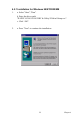
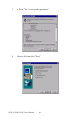
Important: 1. The following windows illustrations are exam-
ples only. You must follow the flow chart instruc-
tions and pay attention to the instructions which
then appear on your screen.
Notes: 1. The CD-ROM drive is designated as "D"
throughout this chapter.
2. <Enter> means pressing the "Enter" key on
the keyboard.