
User manual






PCM-9342 User Manual 22
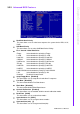
Agent after boot [Disabled]
This item allows user to set agent running after boot mode.
Delay For HDD (Secs) [0]
This item allows user to set delay for HDD(secs).
USB Device Setting [Press Enter] (Show Only)
This item allows users to set USB related features.
3.2.4 Advanced Chipset Features
EVA4150 IO Config [Press Enter] (Show Only)
This item allows user to set EVA4150 UART, LPT resources.
EVA4150 PowerDown Setting [Press Enter] (Show Only)
This item allows user to set IDE, USB2.0, COM1 ,COM2 powerdown function.
EVA4150 GPIO Config [Press Enter] (Show Only)
This item allows user to set all of the GPIO resources.
SMI712 VGA Setting [Press Enter] (Show Only)
This item allows users to set VGA related features.
SDRAM:Write Recovery Time [2T]
This item allows users to set the DRAM Write Recovery Time.
Watch Dog Timer reset [Disabled]
This item allows user to set watch dog timer.
Do CMOS Clear [Disabled]
This item allows user to clear CMOS.
I/O Cycle Control [Disabled]
This item allows users to set I/O cycle control mode.
CPU Fast Decode Cycle [Normal]
This item allows users to set CPU of decode cycle mode.
Note! This "Advanced Chipset Features" option controls the configuration of
the board's chipset, this page is developed by Chipset independent, for
control chipset register setting and fine tune system performance. It is
strongly recommended only technical users make changes to the
default settings.