35 PCM-4153 User Manual
Chapter 5 Audio Setup
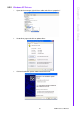
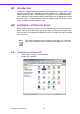
5.2.2 Windows XP Drivers
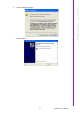
1. Open device manager, right click on audio and click on “properties”.
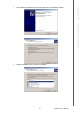
2. Go to driver page and click on update driver.
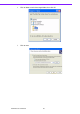
3. Click on install from specific folder and click on next.