
User manual



PCM-4153 User Manual 18
3.6.8 EPP Mode Select
This field allows you to select EPP port type 1.7 or 1.9.
3.6.9 ECP Mode Use DMA
This selection is available only if you select “ECP” or “ECP + EPP” in the Parallel Port
Mode field. In ECP Mode Use DMA, you can select DMA channel 1, DMA channel 3,
or Disable. Leave this field on the default setting.
3.7 Power Management Setup
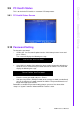
The power management setup controls the CPU card’s “green” features to save
power. The following screen shows the manufacturer’s defaults:
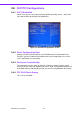
3.7.1 ACPI function
The choice: Enabled, Disabled.
3.7.2 Power Management
This category allows you to select the type (or degree) of power saving and is directly
related to the following modes:
1. HDD Power Down
2. Suspend Mode
There are four selections for Power Management, three of which have fixed mode
settings.
Figure 3.3: Power management setup screen
Min. Power Saving Minimum power management., Suspend Mode = 1 hr., and HDD
Power Down = 15 min.
Max. Power Saving Maximum power management., Suspend Mode = 1 min., and HDD
Power Down = 1 min.
User Defined (Default) Allows you to set each mode individually. When not disabled, each
of the ranges are from 1 min. to 1 hr. except for HDD Power Down
which ranges from 1 min. to 15 min. and disable.