
User's Manual





EKI-1351/EKI-1352/EKI-1521/1522/1524 User Manual 48
3.4.1 Setting serial port parameters
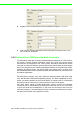
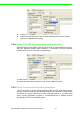
Click on the “+” before the device name, and the utility will expand the interfaces on
this device server. Select the one serial interface.
Description: You can give a more detailed description on the function of the port
for easier management and maintenance. Descriptions have a limit of 128 char-
acters.