
User manual
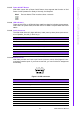
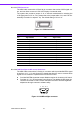
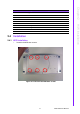

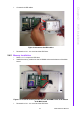
Table Of Contents
- ARK-3399
- 1 General Introduction
- 2 H/W installation
- 2.1 Introduction
- 2.2 Jumpers
- 2.3 Connectors
- Figure 2.2 ARK-3389 IO connectors drawing
- 2.3.1 ARK-3399 external I/O connectors
- 2.3.1.1 COM Connectors
- 2.3.1.2 Ethernet Connector (LAN)
- 2.3.1.3 PS2 Keyboard/Mouse Connector
- 2.3.1.4 VGA Connector
- 2.3.1.5 USB Connector
- 2.3.1.6 Power Input Connector
- 2.3.1.7 Power ON/OFF Button
- 2.3.1.8 LED Indicators
- 2.3.1.9 Audio Connector
- 2.3.1.10 DIO Connector
- 2.3.1.11 LVDS Connector
- 2.3.1.12 LCD Backlight On/Off control Connector
- 2.4 Installation
- 3 BIOS Operation
- 3.1 BIOS Introduction
- 3.2 BIOS Setup
- 3.2.1 Main Menu
- 3.2.2 Standard CMOS Features
- 3.2.3 Advanced BIOS Features
- 3.2.4 Advanced Chipset Features
- 3.2.5 Integrated Peripherals
- 3.2.6 Power Management Setup
- 3.2.7 PnP/PCI Configurations
- 3.2.8 PC Health Status
- 3.2.9 Frequency/Voltage Control
- 3.2.10 Load Optimized Defaults
- 3.2.11 Set Password
- 3.2.12 Save & Exit Setup
- 3.2.13 Quit Without Saving
- 4 Full Disassembly Procedure
- 4.1 Introduction
- Figure 4.1 Unscrew the bottom screws
- Figure 4.2 Unscrew the frame screws and remove the frame
- Figure 4.3 Unscrew the panel screws
- Figure 4.4 Unscrew the hex-bolts on the panel
- Figure 4.5 Unscrew the ground wire of LVDS cable and disconnect all the cables and boards
- Figure 4.6 Unscrew the boards’ screws and hex-bolts for disassembly
- Figure 4.7 Unscrew the power module screws on the bottom to disassemble the power module
- 4.1 Introduction
15 ARK-3399 User Manual
Chapter 2 H/W installation
2.3.1.7 Power ON/OFF Button
ARK-3399 comes with a Power On/Off button, that supports dual function of Soft
Power -On/Off (Instant off or Delay 4 Second), and Suspend.
2.3.1.8 LED Indicators
There are two LEDs on ARK-3399 front metal face plate for indicating system status:
PWR LED is for power status; and HDD LED is for HDD & compact flash disk active
status.
2.3.1.9 Audio Connector
The ARK-3399 offers HD (High definition) Audio ports by three phone jack connec-
tors of Speaker_Out, Mic_In and Line_In,
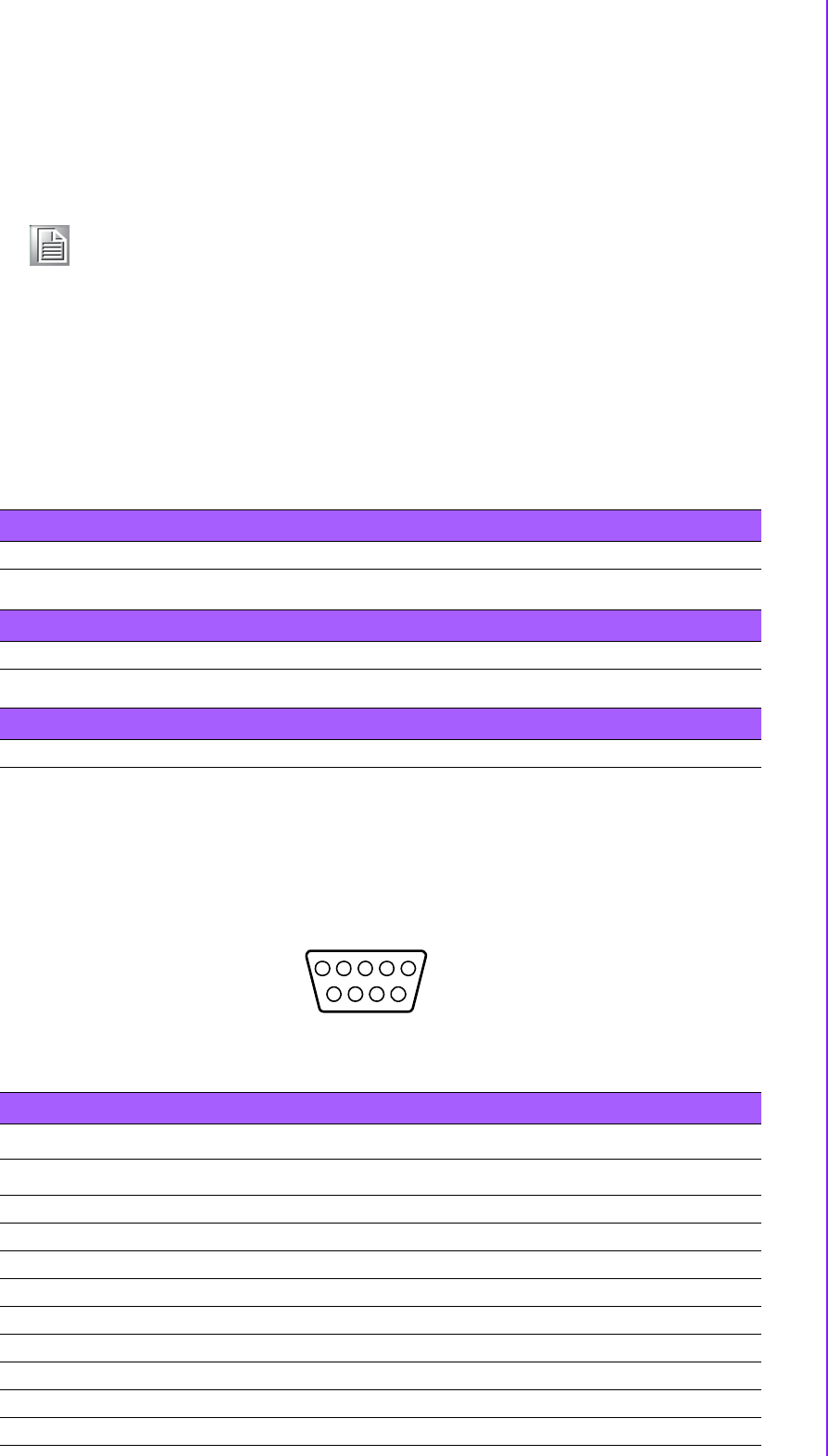
2.3.1.10 DIO Connector
ARK-3399 provides one D-sub 9-pin Female connector, which offers Digital IO com-
munication interface ports. If you want to use DIO, you can find the Pin assignment
as following.
Figure 2.10 DIO connector
Note! Re-start Interval Time must be at least 3 seconds.
Table 2.7: Line-In Connector
Footprint Phone Jack 3.5φP, 90 Degree, Female
Table 2.8: Speaker-Out Connector
Footprint Phone Jack 3.5φP, 90 Degree, Female
Table 2.9: Mic-In Connector
Footprint Phone Jack 3.5φP, 90 Degree, Female
Table 2.10: DIO connector pin assignments
DIO
Pin Signal Name
1DIO0
2DIO1
3DIO2
4DIO3
5DIO4
6DIO5
7DIO6
8DIO7
9GND
15
9
6
324
78