
User guide





User Guide for the Neptune™ Sound Processor 17
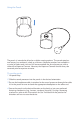
Table 1: Neptune sound processor LED indications
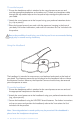
Note: Use of some Neptune accessories may obscure the processor LED; therefore,
audible alarms may be desirable for use with very young children to ensure
caregiver notification of loss of lock or low battery status.
Color Behavior Programmable Indication
Orange
Red
Green
• 4 quick blinks indicate that battery
is fully charged
• 2–3 quick blinks indicate that the
battery is sufficiently charged to
power the system
• 1 quick blink indicates that the
battery is nearly depleted
• No blinking indicates depleted
battery. Replace with charged or
new battery
The battery is almost depleted
The battery is depleted and cannot
support stimulation
The sound processor is
powering down
Loss of lock with the implant
Wrong implant connected
Sound processor error condition.
Fully remove and re-insert battery to
reset processor
The sound processor and
microphone are responding to
sound
Indicates an empty program slot or
monitor (∆) position
• 1 blink indicates program one
• 2 blinks indicate program two
• 3 blinks indicate program three
Blinks at start-up No
Solid Yes
Blinks twice every Yes
three seconds
Fades out No
Blinks once per Yes
second
Blinks rapidly No
(more than once
per second)
Solid No
Flickers in Yes
response to
loud inputs
Solid green No
Blinks at start-up No
after battery status
and upon program
change