
Operation Manual



83
Creating PDFs
Last updated 4/7/2015
Multimedia Content Determines whether to disable multimedia capture, embed multimedia files when possible, or
link to multimedia (such as SWF files) by URL.
Retain Page Background Specifies whether to display colors and tiled images in page backgrounds and colors in table
cells. If options are deselected, converted web pages sometimes look different than they do in a web browser, but are
easier to read when printed.
Convert Images Includes images in the conversion to PDF.
Underline Links Underlines textual web links on the pages.
Expand Scrollable Blocks Expands scrollable blocks to include complete information on the converted PDF.
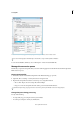
Text Settings
Input Encoding Sets the input encoding of the text for a file.
Language Specific Font Settings Use these settings to change the language script, body text typeface, and base typeface
size.
Default Colors Sets the default colors for text and page backgrounds. Click the color button to open a palette, and select
the color.
Wrap Lines At Margin Inserts a soft return when the text reaches the edge of the text area on the page.
Creating PDFs with Acrobat Distiller
Acrobat Distiller overview
In Acrobat Distiller, you can select settings used to convert documents to PDFs, security options, and font information.
You also use the Acrobat Distiller window to monitor the jobs you’ve lined up for PDF conversion.