
Operation Manual






250
Reviews and commenting
Last updated 4/7/2015
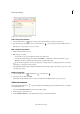
3 Select the file that you want to attach, and then click Open. If you’re attaching a PDF, you can highlight areas of
interest in the file using comments.
4 In the File Attachment Properties dialog box, select the settings for the file icon that appears in the PDF.
The comment attachment also appears in the Attachments tab (in the left navigation pane) with a page number
indicating its location.
Note: To delete the attachment, right-click the attached comment icon, and choose Delete.
Paste images as comments
Note: In Acrobat Reader DC, commenting tools are available only in PDFs that have commenting enabled. PDFs in a
review workflow typically include commenting rights.
You can use the Paste Clipboard Image As Stamp Tool to add images to a PDF. You can copy most image formats from
drawing and image-editing applications, such as Adobe Photoshop and Adobe Illustrator. If you want to add the image
to PDFs repeatedly, create a custom stamp of the image.
Note: The Paste Clipboard Image As Stamp Tool isn’t available until you copy an image.
1 Copy an image by doing one of the following:
• In Acrobat DC, choose Edit > Take A Snapshot , and select an image from a PDF.
• In another application, select an image and choose Edit > Copy.
2 Open a PDF.
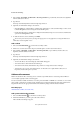
3 Choose To o ls > Comment. In the secondary toolbar, click the Add Stamp tool and select Paste Clipboard
Image As Stamp Tool.
4 Click in the PDF where you want the image to appear.
5 Do any of the following:
• To move the image, drag it.
• To resize the image, select it and then drag one of its handles. Press the Shift key when resizing the image to
maintain the original proportions.
• To change the image properties, right-click it and choose Properties.
• To delete the image, right-click it and choose Delete.
More Help topics
Sharing PDFs and collaborating in real time
Preparing for a PDF review
Starting a review
Participating in a PDF review
Tracking and managing PDF reviews
Adding a stamp to a PDF
Mark up text with edits
Managing comments
Importing and exporting comments