
Specifications





12 • NuPRO BIOS Users Manual
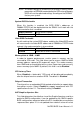
an aperture of maximum size. The choices are 32MB and 64MB.
Display Cache Frequency
You can use this item to select the frequency of the display cache. The
choices are 100MHz and 133MHz.
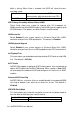
FWH Write Protection
To protect the BIOS from destroying by some reasons, this item lets user
to select the protection type to avoid BIOS errors.
Disabled
<Default>
User can flash BIOS anywhere.
TBL_Only
Top Block Lock, top block area doesn’t change when
flashing the new BIOS.
Enabled User can’t flash the newer BIOS file.
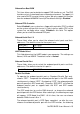
On-Chip Video Window Size
Select the on-chip video window size for VGA driver use. The default is
64MB. If the Disabled is selected, the system will not boot with no other
VGA card.
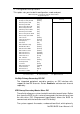
Followings are the setting of onboard display cache timing.
CAS# Latency
Select the local memory clock periods. The choice : 2, 3.
Paging Mode Control
Select the paging mode control. It will let memory controller to leave
memory pages open or close.
RAS-to-CAS Override
Select the display cache clock periods control. Default is determined by
the value of CL(CAS# Latency).
RAS# Timing
This item control RAS# active to Protegra, and refresh to RAS# active
delay (in local memory clocks).
RAS# Precharge Timing
This item controls RAS# precharge (in local memory clocks).