
Specifications





NuPRO BIOS Users Manual • 7
internal cache memory, and most, but not all, modern PCs have
additional (external) cache memory. When the CPU requests data, the
system transfers the requested data from the main DRAM into cache
memory, for even faster access by the CPU. These items allow you to
enable (speed up memory access) or disable the cache function.
Enabled
<Default>
Open CPU Internal Cache / External Cache
Disabled Close CPU Internal Cache / External Cache
CPU L2 Cache ECC Checking
This option enables the level 2 cache memory ECC(error check
correction). The default of this item is Enabled.
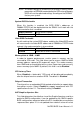
Quick Power On Self Test
When enabled, this field speeds up the Power On Self Test (POST) after
the system is turned on. If it is set to Enabled, BIOS will skip some items.
Enabled Enable quick POST
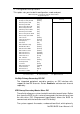
First/Second/Third/Other Boot Device
The BIOS attempts to load the operating system from the devices in the
sequence selected in the following items. The settings are:
Disabled Floppy LS120
HDD-0 SCSI CDROM
HDD-1 HDD-2 HDD-3
ZIP100 USB-FDD USB-ZIP
USB-CDROM LAN
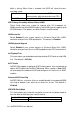
Swap Floppy Drive
This item allows you to determine whether to enable Swap Floppy Drive or
not.
Enabled The BIOS swaps floppy drive assignments so that
Drive A becomes Drive B, and Drive B becomes
Drive A.
Disabled
<Default>
Disable the BIOS to swap floppy drive