
User`s guide




BIOS Configuration
•
59
To disable a password, just press the <Enter> key when you are prompted
to enter the password. A message will confirm the password to be
disabled. Once the password is disabled, the system will boot and you can
enter Setup freely.
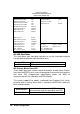
ROM PCI/ISA BIOS
CMOS SETUP UTILITY
AWARD SOFTWARE, INC.
STANDARD CMOS SETUP INTEGRATED PERIPHERALS
BIOS FEATURES SETUP SUPERVISOR PASSWORD
CHIPSET FEATURES SETUP USER PASSWORD
POWER MANAGEMENT SETUP IDE HDD AUTO DETECTION
PNP/PCI CONFIGURATION HDD LOW LEVEL FORMAT
LOAD BIOS DEFAULTS SAVE & EXIT SETUP
LOAD SETUP DEFAULTS EXIT WITHOUT SAVING
ESC : Quit á â à ß : Select Item
F10 : Save & Exit Setup (Shift) F2 : Change Color
Change / Set / Disable Password
u IDE HDD Auto Detection
This option detects the parameters of an IDE hard disk drive, and
automatically enters them into the Standard CMOS Setup screen.
ROM PCI/ISA BIOS
STANDARD CMOS SETUP
AWARD SOFTWARE, INC.
HARD DISKS TYPE SIZE CYLS HEAD PRECOMP LANDZ SECTOR MODE
Primary Master:
Select Primary Master Option (N=SKIP) : N
OPTIONS TYPE SIZE CYLS HEA
D
PRECOMP LANDZ SECTOR MODE
1 (Y) 0 0 0 0 0 0 0 NORMAL
NOTE: Some OSes (like SCO-UNIX) must use ”NORMAL” for installation
Up to two IDE drives can be detected, with parameters for each appearing
in sequence inside a box. To accept the displayed entries, press the “Y”
key, to skip to the next drive, press the “N” key. If you accept the values, the
parameters will appear listed beside the drive letter on the screen.
ESC: SKIP
Enter Password: