
User`s guide




58
•
BIOS Configuration
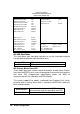
Parallel Port Mode
This field allows you to determine parallel port mode function.
SPP
(Standard Parallel Port) normal Printer Port,
150KB/sec transfer speed
EPP
(Enhanced Parallel Port), 2MB/sec transfer
speed, the system supports EPP 1.7 and EPP
1.9
ECP
(Extended Capabilities Port), 4MB/sec
transfer speed
u Supervisor / User Password
These two options set the system password. Supervisor Password sets a
password that will be used to protect the system and Setup utility. User
Password sets a password that will be used exclusively on the system. To
specify a password, highlight the type you want and press <Enter>. The
Enter Password: message prompts on the screen. Type the password, up
to eight characters in length, and press <Enter>. The system confirms your
password by asking you to type it again. After setting a password, the
screen automatically returns to the main screen.