
User`s guide


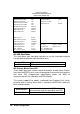


BIOS Configuration
•
57
IDE Primary Master/Slave UDMA
These fields allow your system to improve disk I/O throughput to 33Mb/sec
with the Ultra DMA/33 feature. The options are Auto <Default> and
Disabled.
On-Chip Primary PCI IDE
The integrated peripheral controller contains an IDE interface with support
for two IDE channels. Select Enabled to activate each channel separately.
USB Keyboard Support
Select Enabled if your system contains a Universal Serial Bus (USB)
controller and you have a USB keyboard.
Onboard Lan Chip/Onboard VGA Chip
The default setting of Enabled enables the onboard Lan/onboard VGA
function of the system
KBC Input Clock
This field decides which clock frequency of keyboard controller is used.
The default option is 8MHz.
Onboard FDC Controller
Select Enabled if your system has a floppy disk controller (FDC) installed
on the system and you wish to use it. If you install an add-in FDC or the
system has no floppy drive, select Disabled in this field. This option allows
you to select the onboard FDD port.
Onboard Serial Port
These fields allow you to select the onboard serial ports and their
addresses. The default values for these ports are:
Serial Port 1 3F8/IRQ4
Serial Port 2 2F8/IRQ3
UART Mode Select
This field determines the UART mode in your computer. The settings are
Normal, IrDA and ASKIR. The default value is Normal.
Onboard Parallel Port
These fields allow you to select the onboard parallel ports and their
addresses. The default value for this port is:
Parallel Port 378H/IRQ7