
User`s guide




56
•
BIOS Configuration
ROM PCI/ISA BIOS
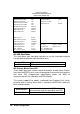
INTEGRATED PERIPHERALSP
AWARD SOFTWARE INC.
IDE HDD Block Mode : Enabled Onboard Parallel Port : 378/IRQ7
IDE Primary Master PIO : Auto Parallel Port Mode : SPP
IDE Primary Slave PIO : Auto ECP Mode Use DMA : 1
IDE Primary Master UDMA
: Auto EPP Mode Select : EPP1.9
IDE Primary Slave UDMA : Auto
On-Chip Primary PCI IDE : Enabled
USB Keyboard Support : Disabled
Onboard Lan Chip : Enabled
Onboard VGA Chip : Enabled
KBC input clock : 6 MHz
Onboard FDC Controller : Enabled
Onboard Serial Port 1 : 3F8/IRQ4
Onboard Serial Port 2 : 2F8/IRQ3 ESC : Quit á â ß : Select Item
UART Mode Select : Normal F1 : Help PU/PD/+/- : Modify
UART2 Duplex Mode : Full F5 : Old Values (Shift) F2 : Color
RxD , TxD Active : Hi , Hi F6 : Load BIOS Defaults
IR Transmission delay : Disabled F7 : Load Setup Defaults
IDE HDD Block Mode
This field allows your hard disk controller to use the fast block mode to
transfer data to and from your hard disk drive.
Enabled<Default> IDE controller uses block mode
Disabled IDE controller uses standard mode
IDE Primary Master/Slave PIO
These fields allow your system hard disk controller to work faster. Rather
than have the BIOS issue a series of commands that transfer to or from the
disk drive, PIO (Programmed Input/Output) allows the BIOS to
communicate with the controller and CPU directly.
The system supports five modes, numbered from 0 (default) to 4, which
primarily differ in timing. When Auto is selected, the BIOS will select the
best available mode.
Auto<Default>
Auto select which mode that BIOS
communicates with the controller and CPU
Mode0~Mode4 User define the PIO mode