
User`s guide



50
•
BIOS Configuration
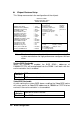
Suspend Mode
When enabled, and after the set time of system inactivity, all devices
except the CPU will be shut off.
Disabled
<Default>
Don’t Enter the Suspend mode
1 Hour After 1 hour of system inactivity, enter Suspend mode
40 min
After 40 min of system inactivity, enter Suspend
mode
30 min
After 30 min of system inactivity, enter Suspend
mode
20 min
After 20 min of system inactivity, enter Suspend
mode
12 min
After 12 min of system inactivity, enter Suspend
mode
8 min After 8 min of system inactivity, enter Suspend mode
4 min After 4 min of system inactivity, enter Suspend mode
2 min After 2 min of system inactivity, enter Suspend mode
1 min After 1 min of system inactivity, enter Suspend mode
HDD Power Down
When enabled, and after the set time of system inactivity, the hard disk
drive will be powered down while all other devices remain active.
Disabled
<Default>
Don’t Enter the HDD power down mode
1 min ~ 15 min
After the set time of system inactivity, HDD power
down
Throttle Duty Cycle
When the system enters Doze mode, the CPU clock runs only part of the
time. You may select the percent of time that the clock runs.
75.0% 75.0% time that the CPU clock runs
62.5%
<Default>
62.5% time that the CPU clock runs
50.0% 50.0% time that the CPU clock runs
37.5% 37.5% time that the CPU clock runs
25.0% 25.0% time that the CPU clock runs
12.5% 12.5% time that the CPU clock runs