
User`s guide



BIOS Configuration
•
47
u Power Management Setup
The Power Management Setup allows you to save energy of your system
effectively. It will shut down the hard disk and turn off video display after a
period of inactivity.
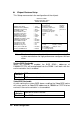
ROM PCI/ISA BIOS
POWER MANAGEMENT SETUP
AWARD SOFTWARE, INC.
ACPI Function : Enabled ** Reload Global Timer Events **
Power Management : User Define IRQ3 (3-7, 9-15), NMI : Disabled
PM Control by APM : Yes Primary IDE 0 : Enabled
Video Off Method : V/H SYNC +Blank Primary IDE 1 : Enabled
Video Off After : Standby Secondary IDE 0 : Disabled
Modem Use IRQ : 3 Secondary IDE 1 : Disabled
Doze Mode : Disabled Floppy Disk : Disabled
Standby Mode : Disabled Serial Port : Enabled
Suspend Mode : Disabled Parallel Port : Disabled
HDD Power Down : Disabled
Throttle Duty Cycle : 62.5% Panel Type Selectable : PANEL-5
ZZ Active in Suspend : Disabled
PCI/VGA Active Monitor : Disabled
Soft-Off by PWR-BTTN : Instant-Off
CPUFAN Off In Suspend : Disabled
PowerOn by Ring : Disabled ESC : Quit á â à ß : Select Item
Wake Up On LAN : Disabled F1 : Help PU/PD/+/- : Modify
IRQ 8 Break Suspend : Disabled F5 : Old Values (Shift) F2 : Color
F6 : Load BIOS Defaults
F7 : Load Setup Defaults
ACPI function
ACPI stands for Advanced Configuration Power Interface. The default
setting of this field Disabled.
Power Management
This field allows you to select the type of power saving management
modes. There are fours selections for Power Management.
Disabled No power management.
User Define
Each of the ranges is from 1 min. to 1hr. Except
for HDD Power Down which ranges from 1 min. to
15 min.
Min Saving
<Default>
Minimum power management
Max Saving Maximum power management.
Note: in order to enable the CPU overheat protection feature, the
Power Management field should not be set to Disabled.