
User`s guide


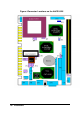


20
•
Installations
l ATX Power ON Switch: Pins19 and 20
This 2-pin connector is an “ATX Power Supply On/Off Switch” on the
system that connects to the power switch on the case. When pressed, the
power switch will force the system to power on. When pressed again, it will
force the system to power off.
19 20
l Reset Switch: Pins 15 and 16
The reset switch allows the user to reset the system without turning the
main power switch off and then on again. Orientation is not required when
making a connection to this header.
15 16
l Hard Disk LED Connector: Pins 17 and 18
This connector connects to the hard drive activity LED on control panel.
This LED will flash when the HDD is being accessed.
17 18 Pin #
Signal Name
17 HDD LED#
18 +5V
l ATX Power Input: Pins 6 -10
The power LED indicates the status of the main power switch. The keylock
switch, when closed, will disable the keyboard function.
Pin #
Signal Name
6 Ground
7 No connect
8 Poweron#
9 +5VSB
5 6 10
10 +5VSB