
Specifications


4-2 Install a Brand-New NuDAM
• An installed RS-485 module (NuDAM-6520) with 9600 baud
rate.
• The brand new NuDAM module
• DC Power supply (+10 to +30 V
DC
) for NuDAM modules
• A NuDAM-6510 if the connection distance is more than 4000
ft.
Initialization Procedure A
-- As Baud rate is 9600 bps and check-sum is disable
1. Power off the host computer and the installed ND-6520. Be
suring the baud rate of the ND-6520 is 9600 bps.
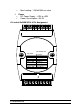
2. Connect a brand new NuDAM module with the RS-485. Refer
to Figure 4.1 for detail wiring.
3. Power on the host computer.
4. Power on the power supply for NuDAM modules.
5. Use the NuDAM Administrating utility to configure the address
ID, Baud rate and check-sum status of the module.
Initialization Procedure B
-- As Baud rate is not 9600 bps or check-sum is not disable
1. Power off the host computer and the installed ND-6520.
2. Connect a brand new NuDAM module with the RS-485. Refer
to Figure 4.1 for detail wiring.
3. Configure the ND-6520 to Baud rate 9600 bps.
4. Short the DEFAULT* pin of the brand-new module.
5. Power on the host computer.
6. Power on the power supply for NuDAM modules.
7. Use the NuDAM Administrating utility to configure the address
ID, Baud rate and check-sum status of the module.
8. Power of the local power supply.
9. Disconnect the DEFAULT* pin.
10. Configure the ND-6520 to desired Baud rate.
11. Power on the local power supply
12. Use NuDAM Administration utility to check the module‘ s new
setting.