
User Manual




This still allows for an encrypted connection (using AES, etc.), but there is no guarantee that the server you are talking
to is actually the server you
think
you're talking to, making it a less secure option.
The approach you take will depend on your project requirements, but in either case you can indicate to the WICED
Feather API whether you want to verify server certificates via the following function:
Default Root Certificates
By default, the following root certificates are included in Featherlib, meaning you only need to add a root certificate
authority if it isn't included in the list below.
These default root certificates cover many common websites without any additional effort on your part:
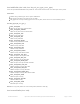
Baltimore CyberTrust Root
adafruit-download.s3.amazonaws.com (may include other Amazon S3 servers)
DigiCert High Assurance EV Root CA
twitter.com
facebook.com
github.com
GeoTrust Global CA
google.com
GeoTrust Primary Certification Authority - G3
adafruit.com
Starfield Services Root Certificate Authority - G2
aws.amazon.com
void tlsRequireVerification (bool required)
Indicates whether the certificate data provided by the remote server should be verified against the local root certificate
list or not. (Note: you can add new records to the root certificate list is set in the AdafruitFeather class via
'Feather.addRootCA'.)
Parameters:
required: Set this to 'true' (1) if certificate validation is required, or 'false' (0) if no verification is required (meaning
that every certificate provided by a remote server will be considered valid!).
Returns: Nothing
Socket Handler Functions
By default certificate verification is enabled on WICED Feather boards. You can disable verification via
'tlsRequireVerification(false)', which will cause any certificate to be accepted, but it will also allow man-in-the-
middle type attacks.
© Adafruit Industries https://learn.adafruit.com/introducing-the-adafruit-wiced-feather-wifi Page 75 of 202