
User Manual
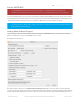
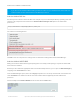





Next, quit and reopen the Arduino IDE to ensure that all of the boards are properly installed. You should now be able
to see the new boards listed in the Tools->Board menu.
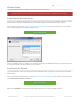
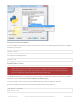
Finally follow the OS specific steps in this guide for your platform to finish the installation - basically installing drivers
and permissions management.
Upgrading From Earlier WICED BSP Releases (<0.6.0)
If you are using an earlier version of the WICED SDK (< 0.6.0), you will need to remove the old files from the
/hardware/Adafruit_WICED_Arduino folder before starting this guide. You may also need to delete the ' arduino15/staging '
dir in the Arduino installation folder before the BSP appears.
© Adafruit Industries https://learn.adafruit.com/introducing-the-adafruit-wiced-feather-wifi Page 33 of 202