
User Manual

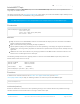

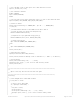


* - Port 1883 : MQTT, unencrypted
* - Port 8883 : MQTT, encrypted (TLS)
*
* Note: may You need an MQTT desktop client such as
* - The lightweight Java client included in this repo: org.eclipse.paho.mqtt.utility-1.0.0.jar or
* - A full desktop client like MQTT.fx https://learn.adafruit.com/desktop-mqtt-client-for-adafruit-io/installing-software
*
* To run this demo
* 1. Change WLAN_SSID/WLAN_PASS
* 2. Decide whether you want to use TLS/SSL or not (USE_TLS)
* 3. Change CLIENTID, TOPIC, PUBLISH_MESSAGE, WILL_MESSAGE if you want
* 4. Compile and run
* 5. Use your MQTT desktop client to connect to the same sever and subscribe
* to the defined topic to monitor the published message(s).
*/
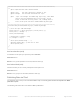
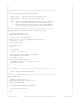
#define WLAN_SSID "yourSSID"
#define WLAN_PASS "yourPass"
#define USE_TLS 0
#define BROKER_HOST "test.mosquitto.org"
#define BROKER_PORT (USE_TLS ? 8883 : 1883 )
// Uncomment to set your own ClientID, otherwise a random ClientID is used
//#define CLIENTID "Adafruit Feather"
#define TOPIC "adafruit/feather"
#define WILL_MESSAGE "Goodbye!!"
AdafruitMQTT mqtt;
AdafruitMQTTTopic mqttTopic(&mqtt, TOPIC, MQTT_QOS_EXACTLY_ONCE);
char old_value = '0';
char value = '0';
/**************************************************************************/
/*!
@brief The setup function runs once when the board comes out of reset
*/
/**************************************************************************/
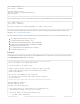
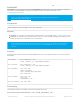
void setup()
{
Serial.begin(115200);
// Wait for the USB serial port to connect. Needed for native USB port only
while (!Serial) delay(1);
Serial.println("MQTT Publish using Publisher Example\r\n");
// Print all software versions
Feather.printVersions();
while ( !connectAP() )
{
delay(500); // delay between each attempt
}
// Connected: Print network info
Feather.printNetwork();
© Adafruit Industries https://learn.adafruit.com/introducing-the-adafruit-wiced-feather-wifi Page 126 of 202