
Instruction Manual





DEMONSTRATION
MILLPWR
®
Operation Manual
4-20
Tool Changes
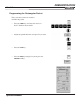
Whenever you encounter a SET TOOL step, MILLPWR will display the DRO screen
and let you know which tool to load.
• Use the
MOVE TABLE softkey and arrow keys to move the tool
away from the workpiece.
• Insert the required tool into the spindle.
• Using the
MOVE TABLE feature, position the tool over
the surface of a known depth on the workpiece.
• Press the
DATUM softkey.
• Position the tool so that it touches the surface of the
workpiece, then enter that position into the Z-axis.
• Press the
USE key.
• Raise the tool and press the
GO key to run the
demonstration program.
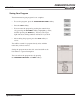
Clearing the Program
• From the PGM screen, press the CLEAR softkey
to clear the program from the screen.
• Press the
YES softkey. The PGM screen will be cleared and ready
for another program.
If the surface is
at 0, use the
Z = 0 softkey.