
Instruction Manual



PROGRAM STEPS
MILLPWR
®
Operation Manual
5-28
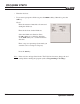
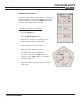
• Highlight the “Depth” field and enter the depth for
each hole.
• Enter the number of holes you want to include in
the row.
• Press the
USE key.
Note:
If the tool size and type listed in the "Tool"
field are incorrect, change the tool settings
before running the program (refer to
Programming a Tool Step).