
User Manual




WPB3000 Powerline Wireless Network Extender User Manual
36
5.5 Maintenance
5.5.1 Device Management
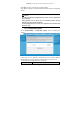
Choose MAINTENANCE > Device Management, and the following page appears.
In this page, you can modify the password for logging in to the Powerline Wireless
Network Extender, set Web idle timeout, and enable or disable the WAN
connection service.
Account Password
In order to ensure the network security, it is recommended you change the default
login password. Please remember the new password if you change the default
password. You may write it down and keep it well for future use. If you forget the
login password, you need to restore the factory default settings of the Powerline
Wireless Network Extender. After the default settings are restored, the PLC router
will lose the new settings that you configure.
Note:
For the sake of network security, it is strongly recommended to change the
password of admin. If you forget the login password, please restore the factory
default settings of the Powerline Wireless Network Extender. The default user
name and password of the super user are admin.