
User's Manual






11
MENU ADJUSTMENT
MENU DISPLAY
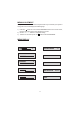
The System Menu Contains features and options that let you customize your system to
change the screen mode display and OSD language.
1) Press the “ ” button on unit or the SYSTEM MENU button on the remote control,
the main page of the system menu will appear on screen.
2) Use the buttons to change the setting .
3) To Select to next menu press the “ ” button or the SYSTEM MENU.
“”“”+-
OSD LANGUAGE ENGLISH
16
BRIGHT 16
CONTRAST 16
COLOR 16
TINT 0
SRCEEN MODE 16:9
IRT A
FMM OFF
RESET